Hirdetés
- Luck Dragon: Asszociációs játék. :)
- GoodSpeed: Munkaügyi helyzet Hajdú-Biharban: észak és dél
- sziku69: Fűzzük össze a szavakat :)
- sziku69: Szólánc.
- Sub-ZeRo: Euro Truck Simulator 2 & American Truck Simulator 1 (esetleg 2 majd, ha lesz) :)
- laca223: Miért győz a kollektív meggyőződés akkor is, ha saját magát teszi tönkre?
- Magga: PLEX: multimédia az egész lakásban
- Geri Bátyó: Agglegénykonyha 10 – Alapanyagok/készételek többféle felhasználása
- urandom0: Száműztem az AI-t az életemből
- djculture: Éhezők ssd és memória viadala.
Új hozzászólás Aktív témák
-

kopidoo
senior tag
válasz
 InterFox
#6466
üzenetére
InterFox
#6466
üzenetére
User manual 19. oldal / 2.5 pont:
Step 1. Please keep the default UEFI setting of “Dual Graphics“ option on [Auto].
Step 2. Install one AMD RADEON PCI Express graphics card to PCIE1 slot.
Step 3. Connect the monitor cable to the onboard VGA port. Please be noted that
the current VGA driver / VBIOS can allow Dual Graphics output from onboard
display only. For any future update, please refer to our website for
further information.
Step 4. Boot into OS. Please remove the AMD driver if you have any VGA driver
installed in your system.
Step 5. Install the onboard VGA driver from our support CD to your system for
both the onboard VGA and the discrete graphics card. (ide mehet a legújabb driver az AMD oldaláról)
Step 6. Restart your computer. Right-click the desktop. Click “AMD VISION
Engine Control Center” to enter AMD VISION Engine Control Center.
Step 7. You can also click “AMD VISION Engine Control Center” on your
Windows® taskbar to enter AMD VISION Engine Control Center.
Step 8. In AMD VISION Engine Control Center, please choose “Performance”.
Click “AMD CrossFireTM”.
Step 9. Click “Enable CrossFireTM” and click “Apply“ to save your change.
Step 10. Reboot your system. Then you can freely enjoy the benefit of Dual
Graphics feature.[


Új hozzászólás Aktív témák
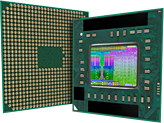
AMD "Trinity" APU topik
- FM2 tokozás
- Négy vagy két mag
- Integrált DX11 Radeon GPU
- Integrált PCIe 2.0 vezérlő
- DDR3-1866 RAM támogatás
- Szorzózármentes "K" modellek
* Trinity (Piledriver & VLIW4):
A10-58xx/57xx, A8-56xx/55xx, A6-54xx, A4-53xx
- HP Thunderbolt-dokkoló, 120W G4 (4J0A2AA)
- Telefon felvásárlás!! Honor 90 Lite/Honor 90/Honor Magic5 Lite/Honor Magic6 Lite/Honor Magic5 Pro
- HIBÁTLAN iPhone 15 Pro Max 256GB Natural Titanium -1 ÉV GARANCIA -Kártyafüggetlen, 100% Akkumulátor
- Apple iPhone X Space Gray Ikonikus dizájn, Face ID, OLED kijelző 64 GB Használt, megkímélt ,100%
- VeryBig! Akciós! Dell Precision 7760 i7-11850H 32GB 512GB SSD RTX A5000 16GB 17" FHD 1 év garancia
Állásajánlatok

Cég: Laptopszaki Kft.
Város: Budapest

Cég: PCMENTOR SZERVIZ KFT.
Város: Budapest